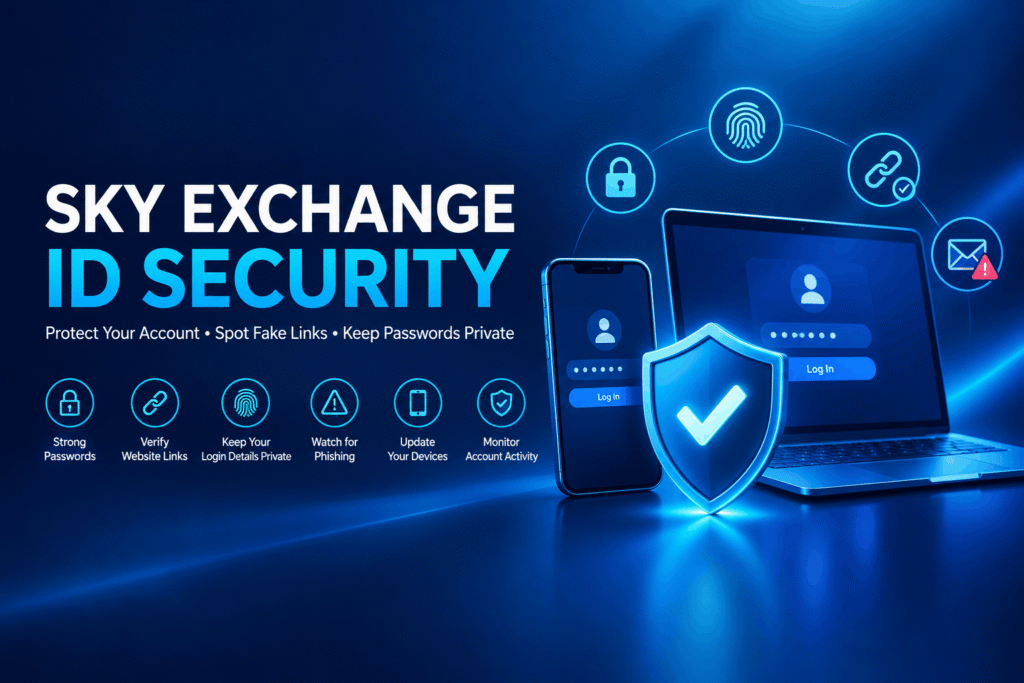
Online account security has become an important part of using digital platforms. Whether you access your account through a smartphone, tablet, or desktop computer, protecting your login information is essential for maintaining privacy and preventing unauthorized access.
Sky Exchange ID Security involves more than creating a password. It also includes recognizing suspicious messages, verifying website addresses, managing account access, and understanding how to respond when something goes wrong.
Many account-related problems occur because users unknowingly share personal information, reuse passwords, or visit websites through unverified links. These risks can often be reduced by following basic digital safety practices.
This guide explains practical ways to protect your Sky Exchange ID, recognize common online threats, and maintain better control over your account information.
What Is Sky Exchange ID Security?
Sky Exchange ID Security refers to the measures users take to protect their account credentials, personal information, and login sessions.
A Sky Exchange ID is associated with an individual account. According to the information published on Sky Exchange, account creation and assistance may involve WhatsApp-based communication. This makes independent verification of support contacts particularly important.
Strong account security generally involves three areas:
- Password security: Creating unique passwords and keeping them confidential.
- Access protection: Preventing unauthorized people from accessing an account.
- Information safety: Protecting personal information from suspicious websites, messages, and individuals.
Understanding these areas can help users make safer decisions whenever they access digital services.
Why Is Sky Exchange Account Security Important?
Account security plays an important role in protecting your digital identity.
When an account is poorly protected, unauthorized individuals may be able to access saved information, change settings, or misuse account-related features.
Common security risks include password theft, phishing messages, impersonation, and unauthorized access through shared devices.
For example, if you use the same password on several websites, a security breach affecting one service could expose your other accounts.
Similarly, opening a suspicious login link may take you to a website designed to collect your username and password.
By understanding these risks, users can develop safer habits and reduce the possibility of account-related problems.
1. Create a Strong and Unique Password
One of the simplest ways to improve Sky Exchange ID Security is to create a strong password.
A predictable password can make it easier for unauthorized individuals to access an account.
Avoid passwords containing your name, mobile number, birth date, or simple number sequences.
Tips for creating a secure password
Choose a long, unique password that is difficult to guess.
A password of at least 15 characters is a useful goal when the platform supports it. A randomly generated password stored in a reputable password manager is often a good option.
You should also avoid using the same password across multiple websites.
If you receive a temporary password during account creation, change it promptly when the platform allows it.
Security tip: Never share your password through WhatsApp, SMS, email, or social media messages, even if someone claims to represent customer support.
2. Always Verify the Sky Exchange Website Address
Fake websites are a common online security threat.
Some websites are designed to imitate legitimate platforms by copying their colors, logos, or login interfaces.
These imitation websites may attempt to collect personal information or account credentials.
Before accessing your account, verify that you are visiting the intended website.
How to identify suspicious website links
Check the complete domain name in your browser’s address bar.
Look for unexpected spelling differences, additional characters, or unusual subdomains.
Be cautious when opening links from unfamiliar messages, social media comments, or promotional posts.
You should also check whether the website uses HTTPS.
However, remember that HTTPS only helps protect the connection; it does not guarantee that a website is legitimate or safe.
For general platform information, readers can visit Skyexchangess.com, but any login destination or support contact should still be independently verified before sensitive details are submitted.
3. Never Share Your Sky Exchange Login Details
Your username and password should remain private.
Sharing account details with friends, agents, unknown support representatives, or other individuals can create unnecessary security risks.
Someone with access to your login information may be able to enter your account without your permission.
Avoid sending screenshots that display passwords, recovery codes, account balances, or sensitive personal details.
If another person needs to help troubleshoot a technical issue, describe the problem without giving them unrestricted account access.
A trustworthy support process should not require you to disclose your password or one-time authentication codes.
4. Be Careful With WhatsApp Messages and Fake Support Agents
Messaging platforms are convenient for communication, but they can also be used for impersonation and phishing.
A person may send a message claiming to be a Sky Exchange representative and ask you to verify your account.
They might also create urgency by claiming that your account will be suspended unless you share information immediately.
Warning signs of suspicious messages
Be cautious if someone:
- Requests your account password or OTP.
- Sends an unfamiliar login URL.
- Asks you to install an unknown application.
- Requests payment to unlock or protect your account.
- Claims that urgent action is required without providing verifiable evidence.
- Asks you to share your screen while entering sensitive information.
Do not trust a message simply because it contains a familiar logo or brand name.
Always verify the contact through an independently established channel.
5. Enable Additional Login Protection When Available
Some online platforms offer additional security features to protect accounts.
These may include two-factor authentication, login alerts, or session-management controls.
Two-factor authentication adds another verification step beyond the password.
For example, an account might require a one-time code or an authenticator-generated code.
If these features are available in your account settings, consider enabling them.
The availability of these features specifically for Sky Exchange has not been independently verified, so users should check their actual account settings rather than assume they exist.
6. Avoid Logging In Through Public Wi-Fi
Public Wi-Fi networks are commonly available in airports, hotels, cafes, and shopping centers.
Although many public networks are legitimate, some may expose users to additional privacy and security risks.
Attackers can create misleading Wi-Fi networks that resemble legitimate public connections.
When using an unfamiliar network, avoid entering sensitive account information unless you trust the network and have verified the website.
Keep your operating system and browser updated, and never ignore connection-security warnings.
Using a mobile network you control can be preferable to connecting through an unfamiliar public hotspot.
7. Keep Your Phone and Browser Updated
Outdated software can contain security vulnerabilities that attackers may exploit.
Regular software updates help protect devices against known threats.
To improve account safety, keep your smartphone operating system, web browser, and security software updated.
Android users can check available updates through system settings and the Google Play Store.
iPhone users can review available iOS updates through Settings.
Desktop users should also install browser and operating system security updates.
Avoid downloading unofficial applications or browser extensions that promise special access to your Sky Exchange ID.
Only install software from sources you have verified.
8. Recognize Phishing Attempts Before Entering Your Password
Phishing is a technique used to trick people into revealing confidential information.
A phishing message may appear to come from a familiar business, support team, or digital service.
It might claim that your account requires immediate verification or that you must follow a link to prevent account suspension.
Example of a suspicious message
Your account has been temporarily restricted. Verify your password immediately through this link to avoid losing access.
Messages like this should be treated with caution.
Instead of opening the provided link, access the service through an independently verified address.
Do not enter your password or authentication code on an unfamiliar page.
If you suspect phishing, stop interacting with the sender and report the message through the relevant platform.
9. Log Out After Using a Shared Device
Logging in from another person’s smartphone or a shared computer can increase account security risks.
Browsers may save usernames, passwords, or active login sessions.
If you forget to sign out, another person using the device may be able to access your account.
To reduce this risk, avoid saving passwords on shared devices, sign out after use, and close the browser.
If a platform provides a feature to review active sessions, use it to check for unfamiliar activity.
For stronger protection, access sensitive accounts only through devices you control.
10. Monitor Your Sky Exchange Account for Unusual Activity
Regular account monitoring can help users identify potential security problems.
Unexpected changes may indicate that someone else has obtained access to your account.
Examples include unfamiliar login notifications, password-change messages you did not request, unexpected account-setting changes, or transactions you do not recognize.
If you notice suspicious activity, do not ignore it.
Secure your linked email and phone accounts, change your password through a verified process if possible, and contact a legitimate support channel.
Keep records of suspicious messages or account changes, but avoid exposing confidential information when sharing screenshots.
11. What to Do If Your Sky Exchange ID Is Compromised
If you believe someone has accessed your account without permission, act promptly.
Step 1: Stop Using Suspicious Links
Close unfamiliar websites and avoid interacting with anyone requesting your credentials.
Step 2: Change Your Password
If you still have legitimate account access, change your password using verified account settings.
Create a new password that you have not used elsewhere.
Step 3: Secure Your Email and Phone
If your account recovery depends on your email address or mobile number, protect those accounts as well.
Step 4: Check for Unauthorized Activity
Review available account activity and identify any unfamiliar changes.
Step 5: Contact Verified Support
Report the issue through a support channel whose authenticity you have independently established.
If unauthorized financial transactions are involved, contact your bank or payment service immediately.
12. Common Sky Exchange ID Security Mistakes to Avoid
Even experienced internet users sometimes make mistakes that compromise account security.
| Common mistake | Safer alternative |
|---|---|
| Using a weak password | Create a long, unique password |
| Sharing login credentials | Keep passwords and OTPs private |
| Opening unknown login links | Verify the full website address |
| Trusting unfamiliar support agents | Independently confirm support contacts |
| Saving passwords on shared devices | Use a personal device and password manager |
| Ignoring software updates | Keep devices and browsers updated |
| Installing unknown APK files | Avoid unverified downloads |
| Ignoring unusual account activity | Investigate and report suspicious changes |
Following these simple practices can reduce several common online security risks.
13. Sky Exchange ID Security Checklist
Before accessing your account, consider the following checklist:
- Is the website address correct and independently verified?
- Are you using a unique, strong password?
- Is your browser updated?
- Are you connected to a trusted network?
- Have you avoided sharing your login credentials?
- Have you checked suspicious messages before opening links?
- Are additional account security features enabled where available?
- Do you know how to report unauthorized activity?
Reviewing these points regularly can help you maintain better control over your account.
Frequently Asked Questions About Sky Exchange ID Security
1. How can I protect my Sky Exchange ID?
Use a strong password, verify the website address, avoid sharing login credentials, update your browser, and watch for suspicious messages or account activity.
2. Is it safe to share my Sky Exchange password with an agent?
No. You should not share your password or authentication codes with an agent or anyone else. If someone requests these details, verify the communication carefully and avoid disclosing them.
3. What should I do if I forget my Sky Exchange password?
Use an independently verified password-recovery or support process. Never share OTPs or sensitive information with unknown individuals who claim they can recover your account.
4. Can someone access my Sky Exchange ID without my password?
Unauthorized access may occur through stolen login sessions, phishing, compromised recovery accounts, or other security weaknesses. Keeping devices and associated accounts secure helps reduce these risks.
5. How do I identify a fake Sky Exchange website?
Check for incorrect spelling, unfamiliar domains, unusual redirects, suspicious requests, and browser security warnings. A familiar logo or HTTPS connection alone does not establish authenticity.
6. Why should I update my Sky Exchange password?
Changing a password is important if it has been exposed, reused on a compromised service, or potentially shared with an unauthorized person. Routine password changes without evidence of compromise are generally less important than using a strong, unique password.
7. Is public Wi-Fi safe for Skyexchange login?
A properly secured HTTPS connection provides protection, but unfamiliar public networks can introduce additional risks. A trusted personal network is preferable when accessing sensitive account information.
8. What should I do if my Sky Exchange ID has been hacked?
Stop interacting with suspicious links, change your password through a verified process, secure associated accounts, and report the problem to a legitimate support channel.
Conclusion
Sky Exchange ID Security begins with simple online safety habits.
Using strong passwords, verifying website links, avoiding suspicious messages, keeping devices updated, and monitoring account activity can help reduce the risk of unauthorized access.
No online account is completely immune to security threats. However, understanding how phishing, password theft, and impersonation work allows users to make more informed decisions.
Whether you are accessing your account from a smartphone or desktop computer, protecting your personal information should always remain a priority.
By following the security practices explained in this guide, users can develop safer online habits and maintain better control over their digital accounts.